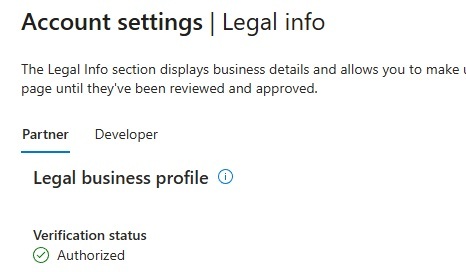
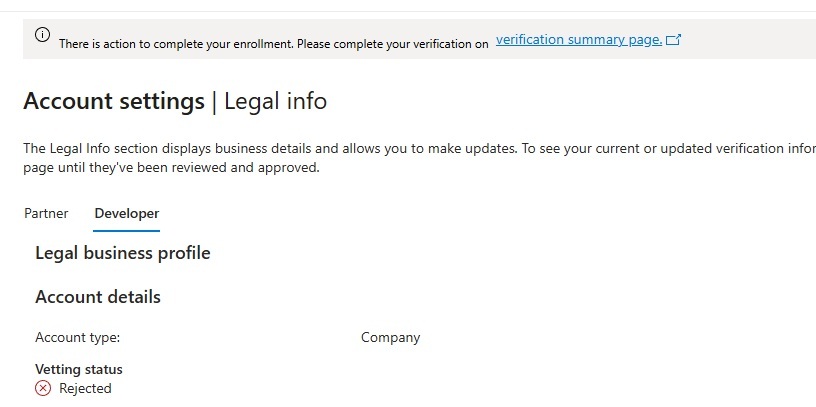
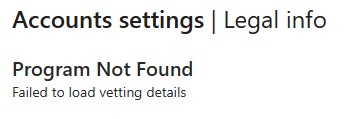
Hi, I was wondering if any else is seeing this (and hopefully resolved it). We use the Microsoft Partner Center for attestation signing of our device drivers but recently it blocked access and redirected to the legal page that said on the developer tab that identity verification was rejected.
I’ve had the same email address for as long as Microsoft has required driver signing via their website.
The help page included this text:
Identity verification can be in the Passed, Rejected, or Challenged state.
If identity verification is Rejected and you don't see a Fix now button, there's no further action required. The account is suspended.
I opened a support issue which was promptly closed with no resolution.
Search this forum. Their 'portal' is a mess. I gave up after I had the same experience and failed to resolve it. Luckily I'm retired and no longer need it.
Yeah look around the forum. This is an ongoing issue that is damaging people’s businesses for having the ‘audacity’ to choose Windows as an operating system.
We had to create new email addresses with the worn ‘onmicrosoft’ in it to recover our account.
We had to change our registered Partner Center email address from “something@ourdomain.com“ to “firstname.surname@ourdomain.com” and then verify our identity with the MS Authenticator app on a mobile phone. Only then we were verified.
However, we still login to the Partner Center with our old “something@ourdomain.onmicrosoft.com“ which was given to us by MS years ago when we initially registered.
It includes some of the advice already stated in replies, like having an identifiable person’s email address (rather than generic mailing list) as the primary contact, among other things. Notably, this explains that everyone’s accounts have gone through reverification recently, and lots been suspended.
Thank you all for responding. I changed contact info on the Legal page and got through the identity verification and it’s on to the employment verification. Fingers crossed.
P.S. It came up a couple times that users changed or create new emails as part of the solution. I think that any change to the ID values will trigger the verification sequence so, if you don’t want a new email, just changing it to a bogus value then back to the correct email may work.
I am having a similar issue. For me the “hardware” section of the partner center has disappeared completely, even though I had it reverified as recently as last year.
I am not even sure what to do about it as it is not clear how I can submit a support request (the support form remains greyed out as it has a “required” field that is impossible to fill). If anyone knows a support email address that works I would be grateful.
Which makes very little sense as I have not received any recent verification email, nor have I tried to verify with them recently. (My most recent verification with them was about a year ago.)
I think we fell foul of the first link so I need to figure out how to reverify also. Note it was me who posted the link at the end of that thread. I thought I had reverified. I guess was wrong.
The problem is that it is almost impossible to open up a support ticket about this problem or any Partner Center problems for that matter. I seem to be entering some kind of support infinite loop where Partner Center support is sending me to a general support page and the general support page is sending me back to Partner Center support.