"The WDK never supports a new Visual Studio right away. Since each WDK only supports a specific Visual Studio version that makes sense. Once 2026 stabilizes I'm sure we will see the WDK transition to it. When that will be though no one knows. I feel like it was quite a few months before we got one that supported Visual Studio 2022."
Well, that day has come! We're happy to announce that a preview release of the WDK with Visual Studio 2026 support is now available.
Now I can using the latest Visual Studio and WDK releases to write drivers that I can’t sign and release because MSFT has for no reason as without warning revoked our access to the hardware dashboard!
Great question! The Preview WDK was released on April 8 to give the hardware ecosystem community an opportunity for validation testing and feedback before we release a retail version. We expect the retail release to be available by June 2026 at the latest.
In the meantime, if there are specific scenarios you need supported sooner, please let us know. Your feedback during this preview period will help shape the retail release.
I kicked the tires and my experience is this preview can be made to work which is good, but it is a lot less mature than I expected and had I known I would have skipped this one. Nonetheless, I would like to share problems and suggestions here as it may be of general interest to driver developers:
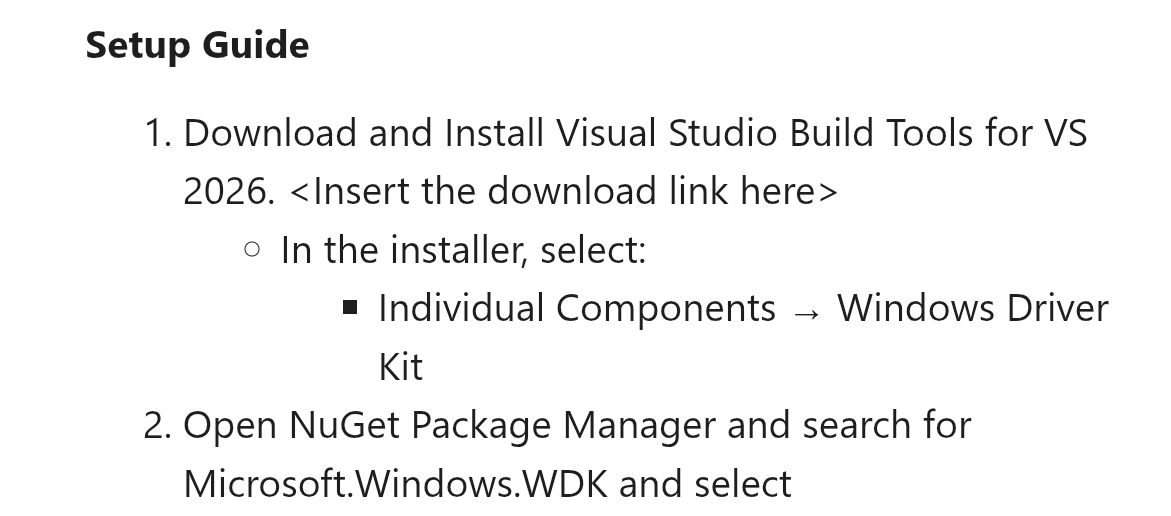
The first obvious problem is the instructions have a suggested nuget link which is a dead end. You end up downloading a file you don’t know what to do with. Instead of this link, there should be step by step instructions on how to do a complete WDK install including how to get the nuget, but using the visual studio interface (not sending the user to github). The approach right now is to just throw it over the wall and let the user figure it all out.
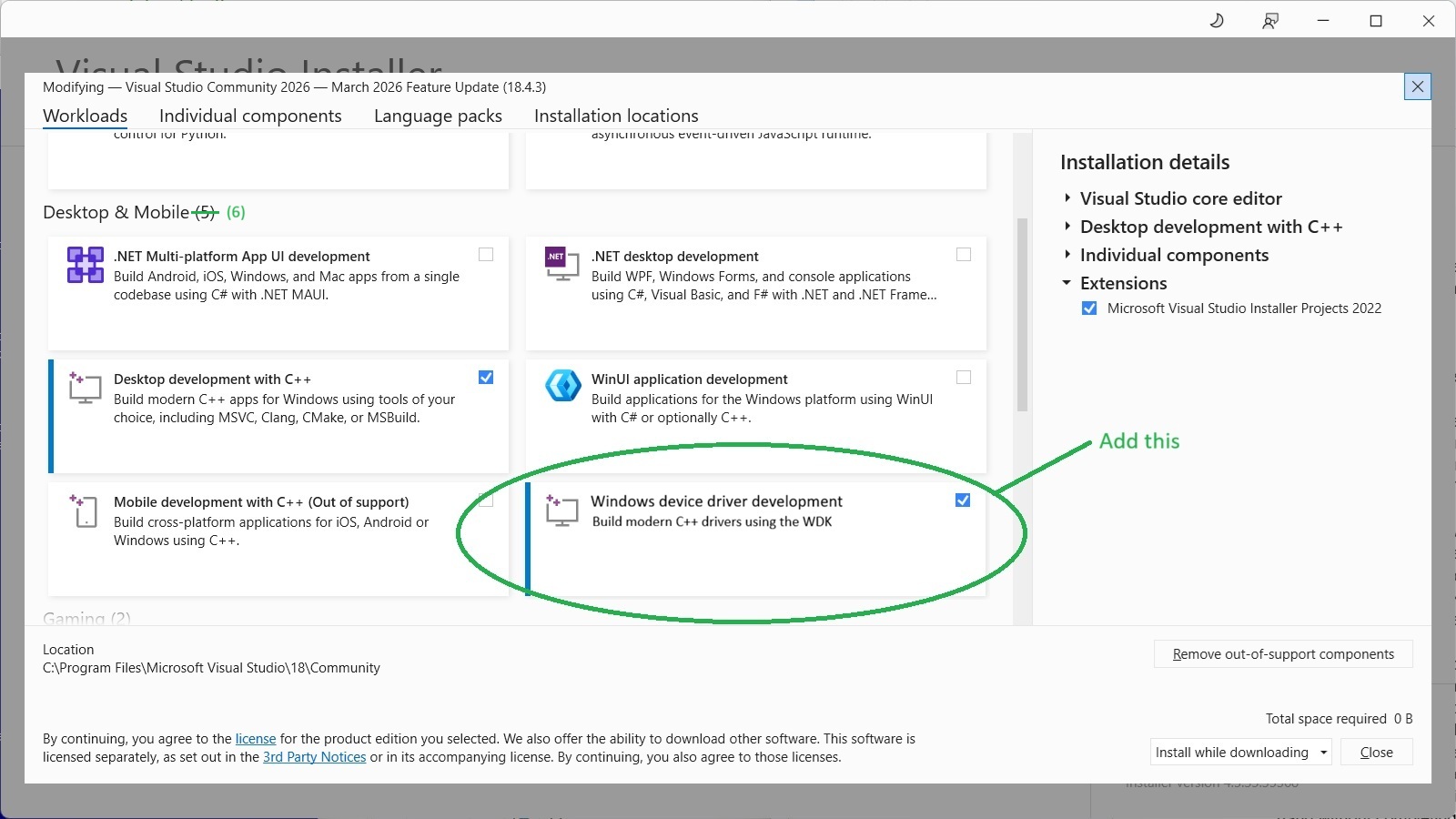
The professional solution for final release is to make a WDK workload button a user can press in the visual studio installer--one step, one click, intuitive, no long and weary install steps, and driver integration is no longer a weird appendage of manual hacks. See attached image.
By default vs2026 does not install the spectre libraries. However, they are required by the WDK resulting in a build failure and the user having to figure out what to do. Spectre install is one of those things that should for sure be handled by the WDK install automatically under the covers.
Installing the WDK breaks right clicking ALL projects around half the clicks. This is apparently a known issue. It’s a wonder how something that ruins vs2026 even on non-driver projects could have been released. Unfortunately the only known solution is to uninstall the WDK.
I strongly object to the “packages” folder--a gigabyte of system code and header files appallingly created right in the users source code tree. Since the beginning of time system files have always been separate from the user’s code. They were never copied into the user’s source code tree. This needs to go somewhere else. At the absolute bare minimum and not great, the packages folder should be placed inside the hidden “.vs” folder. Right now “packages” has the appearance of part of the users source code and will lead unknowing programmers to inadvertently and wrongly edit these files which is very bad. Surely this was not the intent. Another side effect of putting system files in the user source code tree is it ruins the ability to use grep type tools because these tools process the gig of system files.
Trying to install the WDK nuget resulted in a hang without completing, though the cancel button does cancel. After resolving this problem, the below error needed resolved:
error : Designtime build failed for project 'project\driver.vcxproj' configuration 'Debug|x64'. IntelliSense might be unavailable. Set environment variable TRACEDESIGNTIME = true and restart Visual Studio to investigate.
After getting the WDK to install for an existing driver, a large number of build errors occurred and each one had to be resolved like peeling an onion. Below are errors encountered in order. No user should be expected to have to solve all of these things in order to get the WDK to work, not even on a prerelease.
project\packages\Microsoft.Windows.SDK.CPP.10.0.28000.1-RTM\build\Microsoft.Windows.SDK.cpp.targets(13,5): error : Version of Uwp Package 10.0.28000.0 does not match TargetPlatformVersion 10.0.26100.0. Please modify the project file to make the setting of TargetPlatformVersion conditional on it not already being set.
--
project\packages\Microsoft.Windows.WDK.x64.10.0.28000.1761-preview\c\build\WindowsDriver.common.targets(299,5): error MSB4062: The "ValidateNTTargetVersion" task could not be loaded from the assembly
--
project\packages\Microsoft.Windows.WDK.x64.10.0.28000.1761-preview\c\build\bin\Microsoft.DriverKit.Build.Tasks.18.0.dll. Could not load file or assembly
--
'project\packages\Microsoft.Windows.WDK.x64.10.0.28000.1761-preview\c\build\bin\Microsoft.DriverKit.Build.Tasks.18.0.dll' or one of its dependencies. The system cannot find the file specified. Confirm that the declaration is correct, that the assembly and all its dependencies are available, and that the task contains a public class that implements Microsoft.Build.Framework.ITask.
--
C:\Program Files\Microsoft Visual Studio\18\Community\MSBuild\Microsoft\VC\v180\Microsoft.CppBuild.targets(524,5): error MSB8040: Spectre-mitigated libraries are required for this project. Install them from the Visual Studio installer (Individual components tab) for any toolsets and architectures being used. Learn more: /Qspectre | Microsoft Learn
--
Final error: building a driver for ARM64 results in the linker unable to find any libraries at all such as arm64rt.lib (LNK1181). Had to hand edit the project file with hard coding to get ARM64 to work.
For the Insiders Preview downloads, the WDK version installed from the ISO image is 10.0.28000.1761. There was also an updated release of the Windows SDK, version 10.0.28000.1, too, via my Visual Studio Subscription Downloads, that I installed last month. Does the preview release of the WDK require a a matching preview release of the SDK, or can it be used with the 10.0.28000.1 SDK?
Do you have any details you can share about what the specific fix / work-around was for each of those issues? Were they mostly making one-off edits to .props/.targets files in the WDK? What project-specific changes (including directly editing the XML) were required?
I ask because I updated one driver project to use ‘10.0.28000.0’ in place of ‘10.0.26100.0’, and it built cleanly after making one minor change in a C++ header where a more strict check was being made on a template type parameter which required an explicit typecast performed. The build toolset appeared to be found correctly and build operations for both x64 & ARM64 completed without any linker errors.
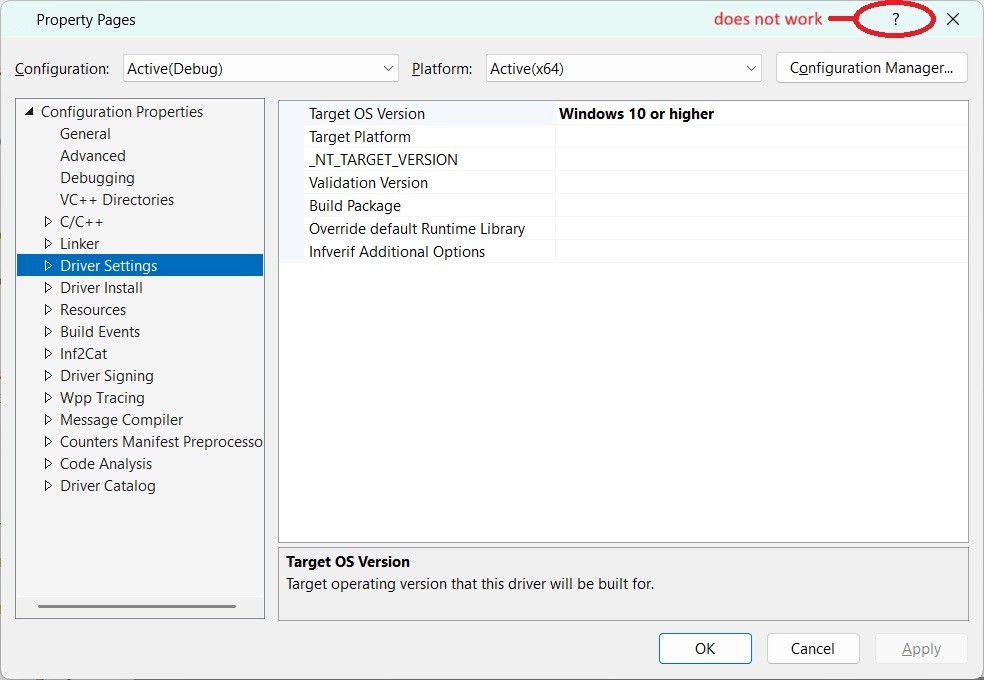
I already touched on resolving arm64 and experimentation installing vs2026 extras can solve spectre. SDK needed updated after installing the WDK is another to look for. Another thing is to hand edit the vcxproj and remove the WindowsTargetPlatformVersion line. That’s 4 solutions, but it goes on and on. I also tried changing fields in the driver property page as workarounds as most are blank, but it didn’t do anything. But I do see yet another bug is the help doesn’t work as shown below.