Hi,
When a driver supports GUID_POWER_DEVICE_ENABLE class GUID, Windows enables the Power Management tab for a driver and presents user a checkbox to disable the option.
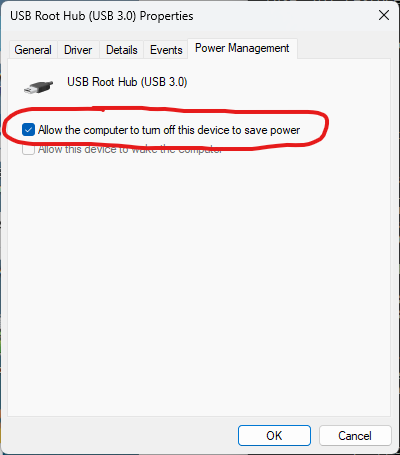
How I can set this checkbox programmatically? I believe the setting works so that WMI sends relevant requests to the driver and the driver stores the setting in its specific way. There is no well known register key to access and I’m not aware of any user space API to issue these settings. WMI Win32_PnPEntity does not give access to this setting I believe.
Reason I need to do this is that our setup is experiencing random instability and lock ups with some USB devices when this setting is enabled. When disabled these problems disappear.