Hello All,
We are getting the following problem and request you to share your suggestions, comments. Thank you very much
Problem:
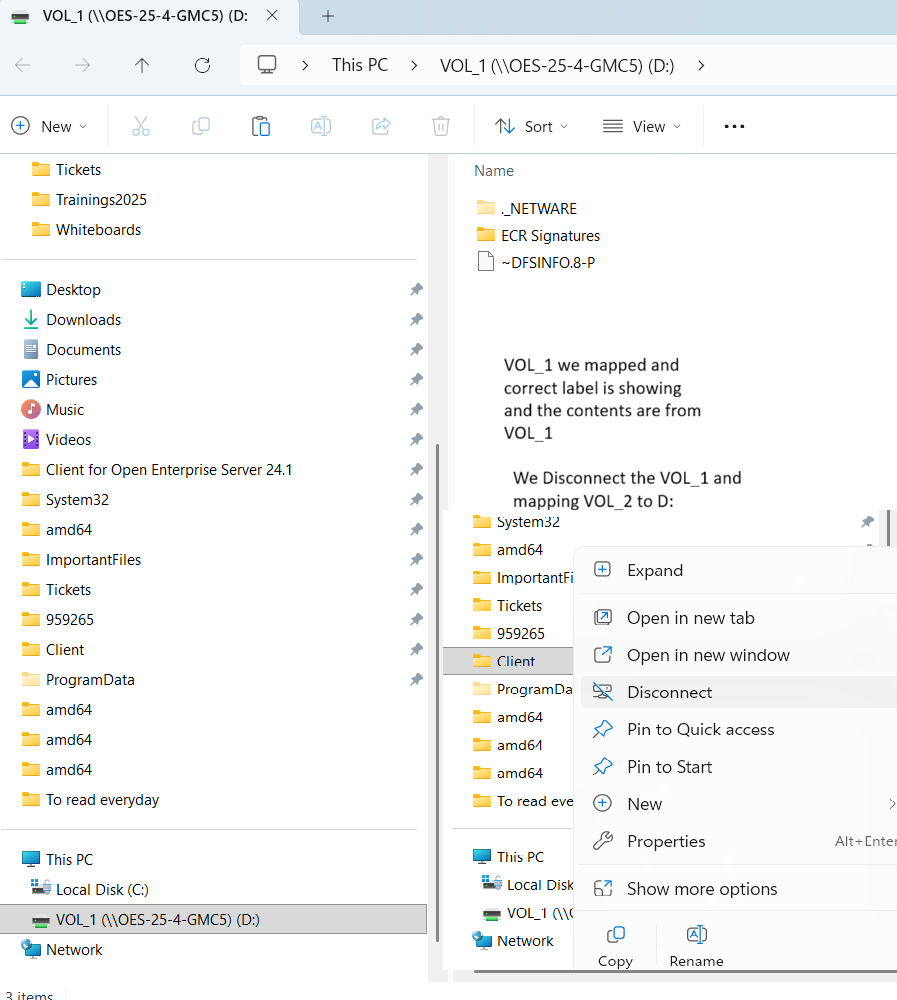
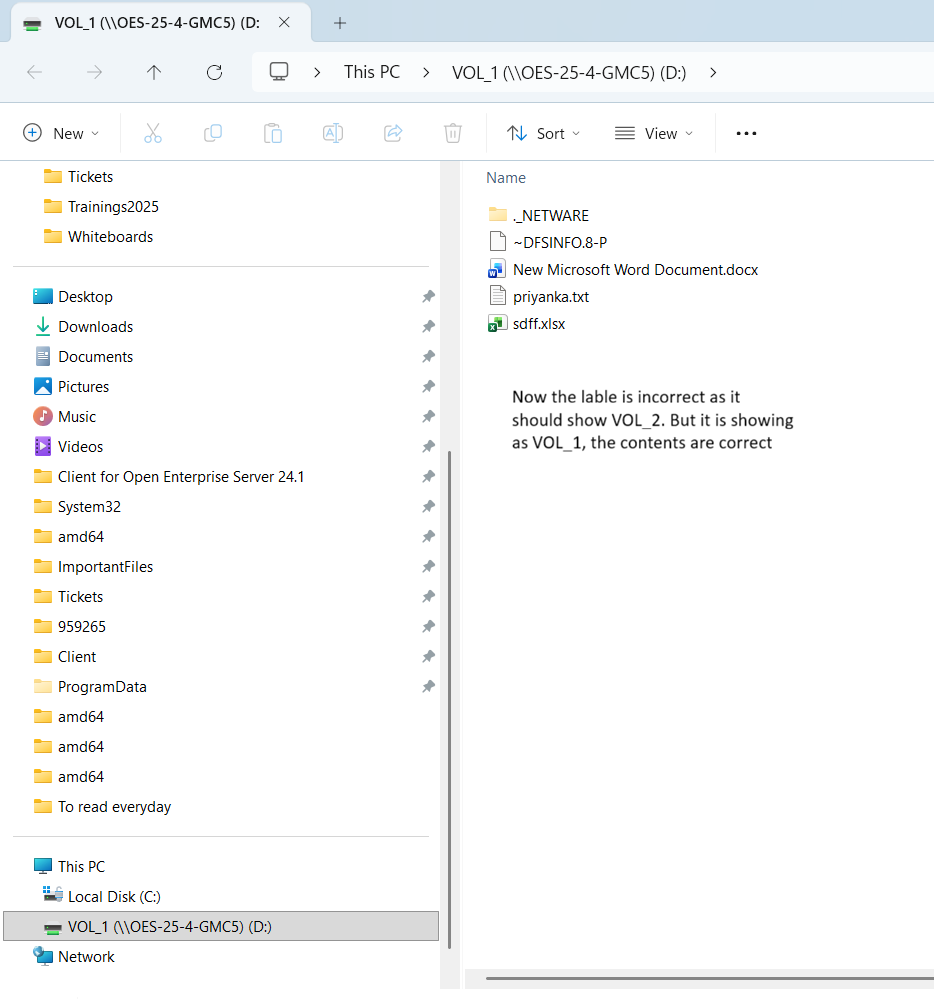
When a user disconnects an existing network volume (for eg: [\\server\\VOL_1](file://server/VOL_1)) and maps a new network volume(\\server\\VOL_2) to the same local drive letter (for example, D:), the drive label continues to display the old volume name (VOL_1), while the contents belong to the new volume(VOL_2). This results in an incorrect drive label being shown.
Workaround:
If the user restarts Windows Explorer (explorer.exe) from task manager, the correct drive label is displayed. This indicates that the issue is related to Windows Explorer’s in-memory UI data structures not being refreshed.
Steps we are doing as a part of mapping the network drive:
**step1)** After mapping the new network volume, we start a new Explorer UI window, not a new explorer.exe process.
ShellExecute(hDialog, NULL, m_szLocalName, NULL, NULL, SW_SHOWNORMAL);
Here, m_szLocalName is D:\.
Since this launches a new window within the existing Explorer process, it continues to use the same in-memory cached drive metadata. As a result, the old drive label is still displayed.
**step2)** Shell notification attempts
We attempted to refresh the Explorer state by invoking SHChangeNotify with multiple notification types after step (1), but the behavior remained unchanged.
SHChangeNotify(SHCNE_DRIVEADD, SHCNF_PATH, L"D:\\", NULL);
SHChangeNotify(SHCNE_UPDATEDIR, SHCNF_PATH, L"D:\\", NULL);
SHChangeNotify(SHCNE_UPDATEITEM, SHCNF_PATH, L"D:\\", NULL);
SHChangeNotify(SHCNE_ASSOCCHANGED, SHCNF_IDLIST, NULL, NULL);
These notifications did not cause Explorer to refresh the cached drive label.
**step3)** Filesystem access attempts prior to launching Explorer
We also tried performing filesystem operations on the newly mapped drive (D:\) before launching the Explorer UI window, using APIs such as:
CreateFile, FindFirstFile
Even with these operations, the Explorer UI continued to display the old drive label.
We are sharing the screenshots. Thank you very much